Generated courselessons matched to your level
Knowledge workersPersonal learning journeys from your sources
Study any topic at your pace.
Start with a research paper, book, web article, or GitHub repo. Bring it as a PDF, YouTube video, Office file, link, or plain text, and SkillDiscs turns it into a Disk with guided lessons, an AI tutor, source view, recall, and a knowledge graph.
Learning system for humans
Everything a Disk needs to become a guided course.
A Disk is more than imported content. It becomes lessons, tutor guidance, a wiki workspace, and recall so you build real understanding.
AI tutorchat, voice, explanations
Wiki workspacesource view and saved knowledge
Recall systemchecks, graph, progress
Your personal AI teacher
A tutor that stays with you through the whole course.
You are not left alone with a wall of text. Your tutor explains, asks back, adapts to your tempo, opens visuals, concept graphs, widgets, and simulations, and helps you keep moving from first lesson to mastery.
Ask when you get stuck
Use chat for precise questions. The tutor answers from the Disk, cites the source, and brings you back to the passage that matters.
Learn by talking
Talk hands-free with your tutor. It explains like a teacher, checks your understanding, follows your pace, and can guide you through the concept graph while you speak.
Listen and review
Turn a Disk into a read-along audio lesson when you want to keep studying away from the desk.
Track your learning journey
Every step of your progress stays visible.
Lessons, concepts, recall, milestones, and reviews are tracked as you learn. You see what you finished, what is next, and where your understanding is growing.
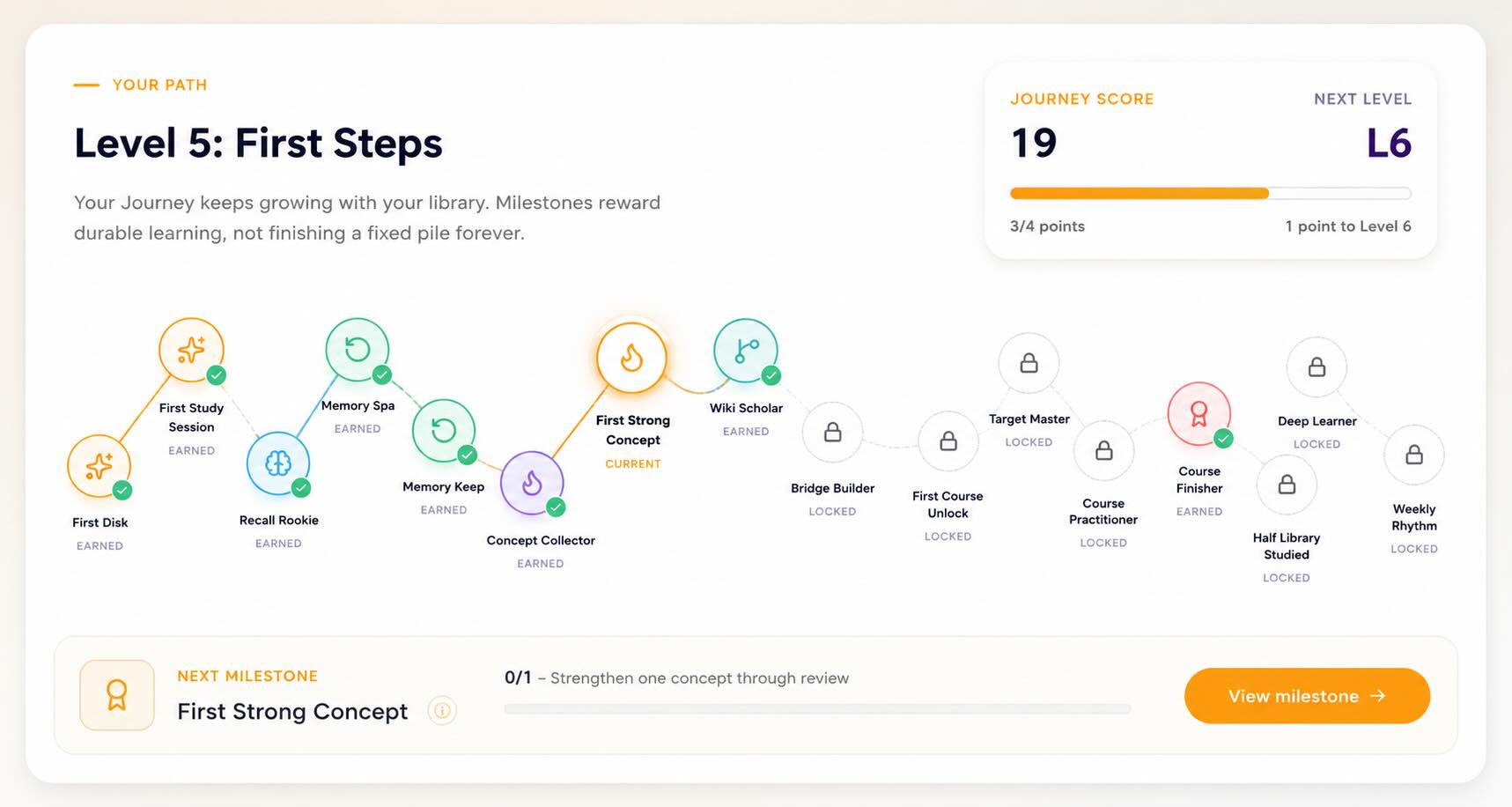
Badges & milestones
Earn badges as you master concepts and finish courses. Progress you can feel.
Goals & study plan
Set goals, get a study plan for today, and keep a clear next step without managing a separate to-do list.
Mastery snapshot
See what you know, what is fading, and what needs review — across your whole library.
Weekly momentum
A weekly streak and momentum view that keeps you coming back.
Your study path
A course that adapts to how you learn.
Guided course path
Your source becomes a sequence of lessons, explanations, questions, and source links. You always know what to study next.
Start at the right level
A quick check finds whether you need the basics, a sharper explanation, or deeper detail before you continue.
Learn at your speed
Slow down, go deeper, or simplify the same Disk whenever you need it. The course follows your pace, not the other way around.
Figures, tables & equations
PDFs are parsed into a clean Source view — figures described, equations rendered, tables kept intact. Toggle AI-explained ↔ original.
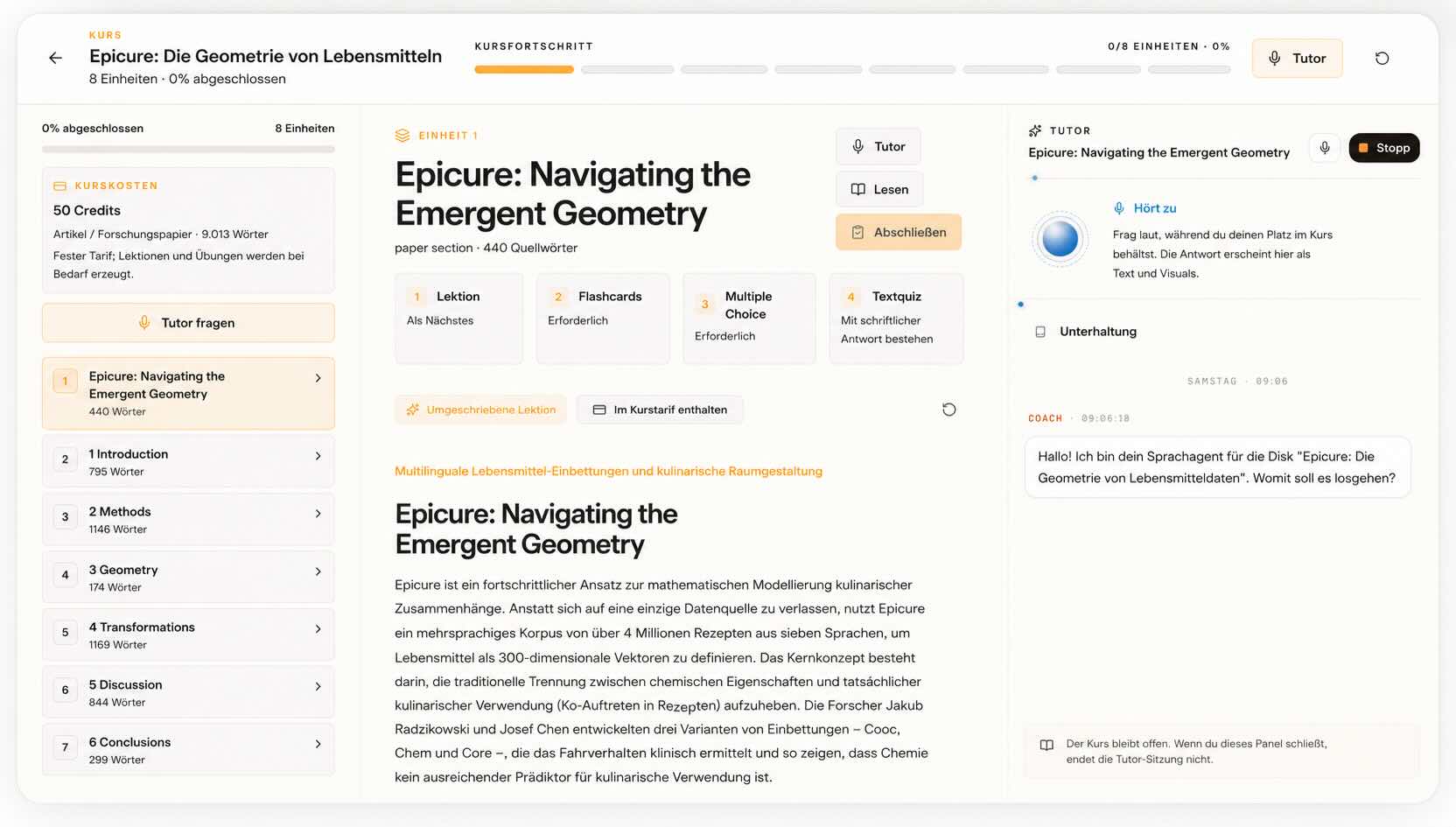
Keep it
Your course remembers what still needs work.
AI-graded recall
Multiple-choice, short-answer, and free-recall checks after each section show whether you can really explain the idea.
Smart review rhythm
Weak concepts come back at the right time, so your learning journey keeps strengthening instead of fading.
RSVP focus mode
Word-by-word speed reading for focus when long text makes your eyes glaze. 100–600 WPM.
See the connections
Your knowledge as a map, not a pile of files.
Every Disk feeds an interactive knowledge graph, so you see the structure of a topic instead of only reading line by line.
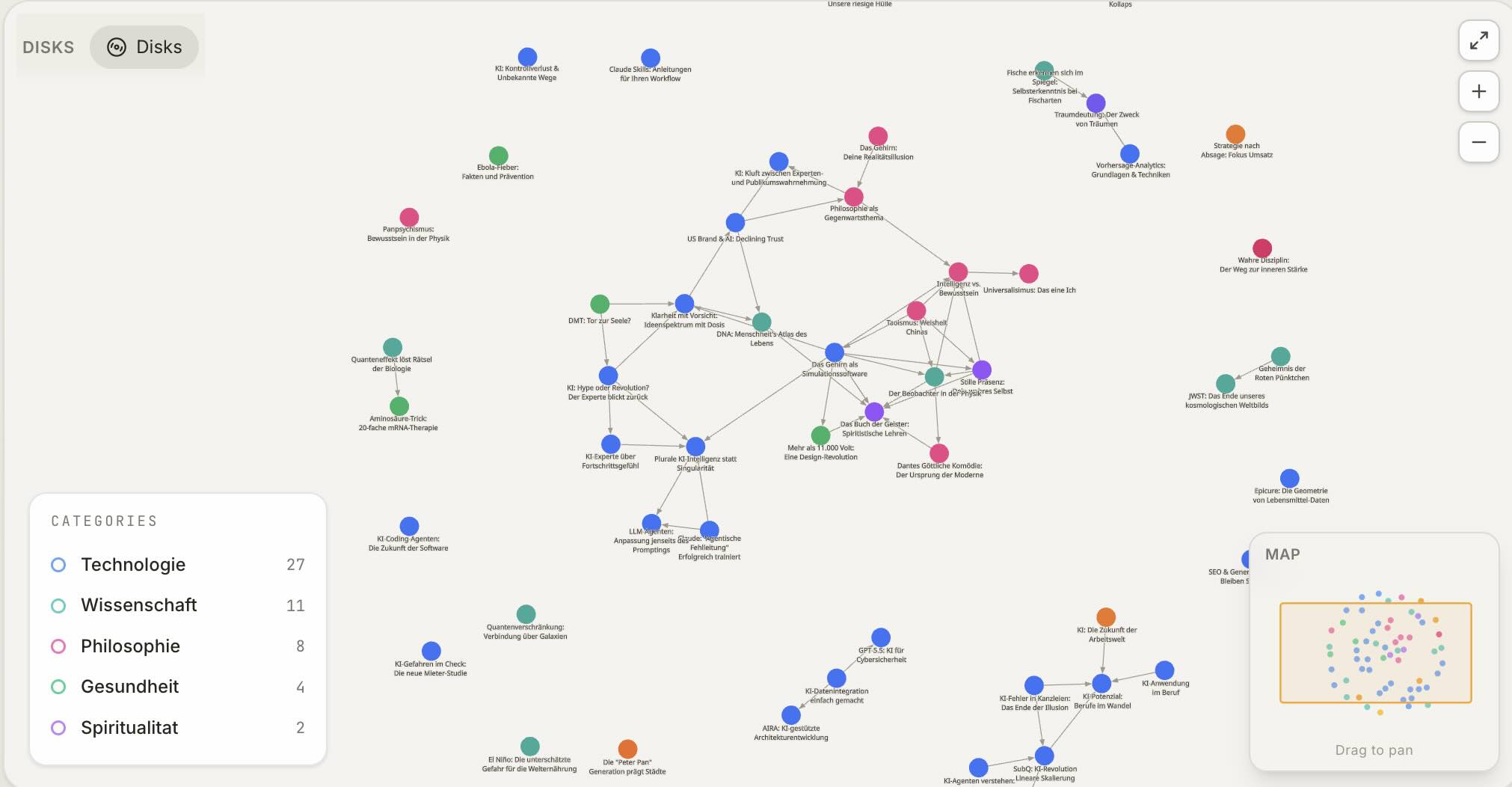
Concept graph
See how the ideas inside a Disk — or across your whole library — connect. Click a node, follow a link.
Smart Wiki
Your best answers auto-organize into a personal wiki, cross-linked and searchable.
Compare two Disks
Put two sources side by side and let the AI surface where they agree, differ, and overlap.
Cross-Disk citations
Claims link back to the exact source span — and to related Disks across your library.
And more
The details that make it stick.
Four languages
Generate courses and tutoring in English, German, French, or Spanish. Original transcripts stay original.
Discover
Search across your Disks, the web, YouTube, and papers in one place — then turn any promising result into a new Disk.
Save public Disks
Browse a public gallery and save any Disk to your library — read it free, fill in deeper levels when you want.
FAQ
Questions about learning with SkillDiscs
How does a SkillDiscs course work?
A Disk becomes a guided session: an overview with a concept map first, then the material explained at your level, then recall questions per section that are evaluated with feedback rather than just marked. At the end you see what still needs work.
Do I need to know the topic already?
No. A short knowledge check places you at beginner, intermediate or advanced, and the explanation is written for that level. The beginner level assumes no prior knowledge at all and explains the terms as it goes.
Can I learn from a YouTube video or a PDF?
Yes — and from web pages, Word, PowerPoint and Excel files, EPUBs, GitHub repositories and pasted text. Whatever the format, you get the same session structure, with the original source kept alongside it.
How does SkillDiscs help me remember?
Each section has recall questions, including free-text answers that are read and responded to rather than multiple choice only. Weak spots stay visible so you can come back to the parts that did not stick.
Can I ask questions while I learn?
Yes. Every Disk has a chat that answers from that source and points at the passage it used, so you can check the answer. There is also a voice mode if you would rather talk through a topic than read it.